In the last year, AI went from being a text generation tool to a software layer that overlays your entire work ecosystem. Today, the fundamental question is no longer: “Which AI should I use?”, but: “Which AI lives where my data and workflow live?”
The three tech giants—Google, Microsoft, and OpenAI—have built their own AI assistant suites, competing not on the ability to write a poem, but on the ability to automate your meeting, draft your financial report, and analyze your emails in a single move. The choice you make will determine your level of efficiency. In the Time Management 3.0 promoted by Estudio Neobox, this decision is critical, as it reduces the friction of context switching and allows you to preserve your valuable Ultradian Rhythms for deep focus work.
We analyze the strengths of the three leading ecosystems to help you choose the copilot that best synchronizes with your workday.
1. Google Gemini: The Assistant Born in Email
The unparalleled strength of Gemini (powered by Google) is its native and deep integration with the software used by most knowledge workers: Google Workspace.
Ideal For: The Knowledge Worker and Data Analyst
If your workday is anchored in Gmail, Google Docs, Sheets, and Drive, Gemini is the most fluid AI assistant. It doesn't need plugins or complex integrations to interact with your documents.
- Central Integration: Gemini can analyze a spreadsheet in Google Sheets and generate charts in Docs, or summarize an email thread of 50 emails in Gmail, all in a single request.
- Search Power: Being directly connected to the Google search engine, Gemini offers a superior ability for fact-checking and real-time information retrieval, providing context and references. This is vital for professionals who require accuracy and up-to-date data.
Essential Plans and Capabilities
While the free version offers excellent conversation capability and basic assistance, the Gemini 1.5 Pro subscription unlocks the true power: the analysis of heavy and long files, and advanced interaction with your own Drive files, transforming your cloud into an active knowledge base. Furthermore, the Gemini Agents functionality promises to automate complex tasks across multiple Google applications with just one instruction, such as "Schedule my trip and send the summary to my boss."

2. Microsoft Copilot: The Enterprise and Code Force
Microsoft Copilot is positioned as the quintessential AI assistant for the corporate environment and software development. Its strength lies in the ubiquity of the Microsoft 365 suite and its dominance in development tools.
Ideal For: Large Enterprises and Software Developers
If your company uses Teams for communication, Outlook for email, and the Office suite for document creation, Copilot integrates directly with these pillars.
- Corporate Productivity: Copilot in Teams can automatically summarize a meeting you arrived late to and generate action items. In PowerPoint, it can create entire slides from a draft in Word. This type of automation at the core of the enterprise workflow saves hours of repetitive work.
- Code Dominance (GitHub Copilot): For software engineers, Copilot is a de facto pair programmer, suggesting code blocks, detecting errors, and drastically reducing coding time. This is a crucial advantage that Microsoft has consolidated.
Essential Plans and Capabilities
The Copilot Pro plan offers advanced models and access to Office applications in the cloud. However, its greatest value proposition lies in the enterprise licenses that guarantee the security and regulatory compliance of company data. Copilot is the leader in AI implementation within a strict data governance framework, something essential for large corporations.
3. OpenAI GPT-4/7: The Engine of Creativity and Innovation
While Gemini and Copilot focus on integration with existing office suites, OpenAI (with its models GPT-4, GPT-7, etc.) focuses on pure innovation, flexibility, and the power of its API ecosystem.
Ideal For: Innovators, Startups, and Specialized Content Creators
GPT remains the benchmark model for high-quality text generation, cutting-edge creativity, and, above all, radical personalization.
- Custom GPTs (Agents): OpenAI allows any user to create an AI agent (GPT) that has specific instructions, knowledge, and capabilities. This turns the platform into an ultra-secure tool marketplace, where you can delegate tasks to a "Legal Analysis Agent" or a "Content Strategy Assistant."
- Model Leadership: Historically, the most powerful and creative models (GPT-4, GPT-4o) have been released first by OpenAI. If your work depends on the model's ability to generate outside-the-box ideas or handle extremely complex prompts, OpenAI usually leads the way.
Plans and Essential Capabilities
OpenAI's paid plans, especially through its APIs, focus on token consumption and priority access to the newest models. Its power does not reside in deep integration with an office suite, but in its ability to act as the central engine that can connect to any external application through its API, turning it into the cognitive operating system for developers.
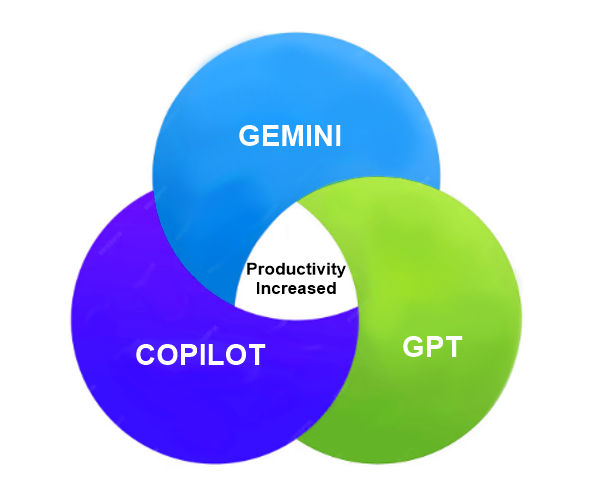
Key Points: The Strategic Summary
The image matrix reveals that the "central integration strengths" are the key to the choice. The professional who aspires to Time Management 3.0 must choose the assistant that minimizes friction:
Ecosystem |
Strategic Strength |
Ideal If... |
| Google Gemini | Drive/Gmail Level Integration and Live Search | Your team uses Google Workspace (Docs, Sheets, Mail) and you need fast data analysis. |
| Microsoft Copilot | Office Level Integration and Corporate Data Governance | You work in a large company that uses Microsoft 365, Teams, and Azure. |
| OpenAI GPT | Raw Power, Agent Customization (GPTs), and API | You are a developer, a creator, or you need maximum flexibility and model innovation. |
No single tool is the definitive answer, but synergy is what transforms productivity. Choosing an assistant that understands your calendar context (Gemini or Copilot) while also allowing for unlimited creativity (GPT) can be the winning formula. AI is the new organizer of your energy, and only the one that resides in your workflow will be able to protect your focus.
The most costly mistake in 2025 is having to copy and paste information between your AI assistant and your documents. Time Management 3.0 requires you to choose the AI that knows how to read your context without you having to ask.